Deadlines on Moodle. Receipts in your bank app. Plans buried in three inboxes. Lifeboard puts them on one board, so you can see your whole day at a glance.
01
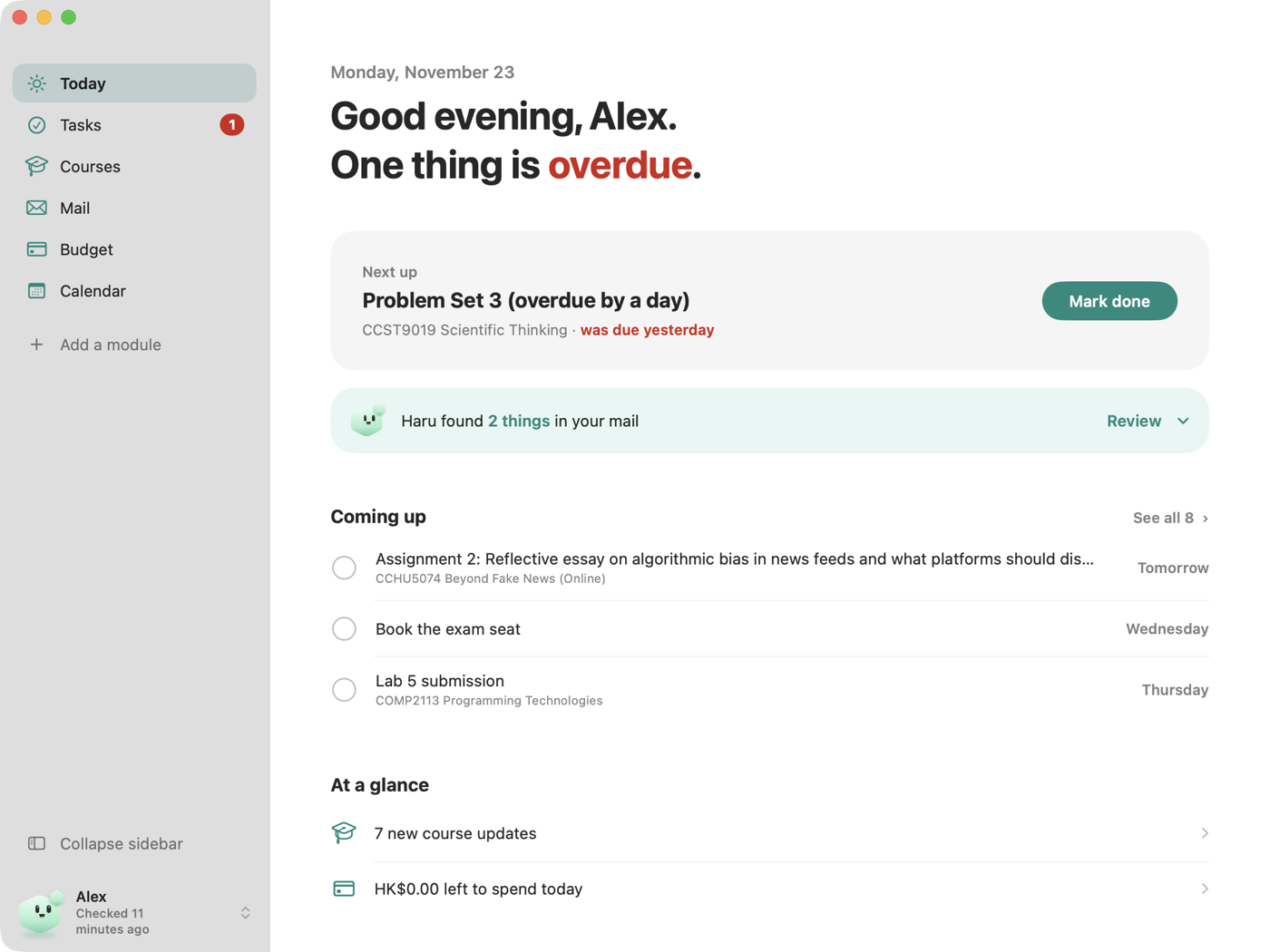
Today
See today at a glance
The next deadline, what's coming up, and tasks found in your mail, on one screen.
02
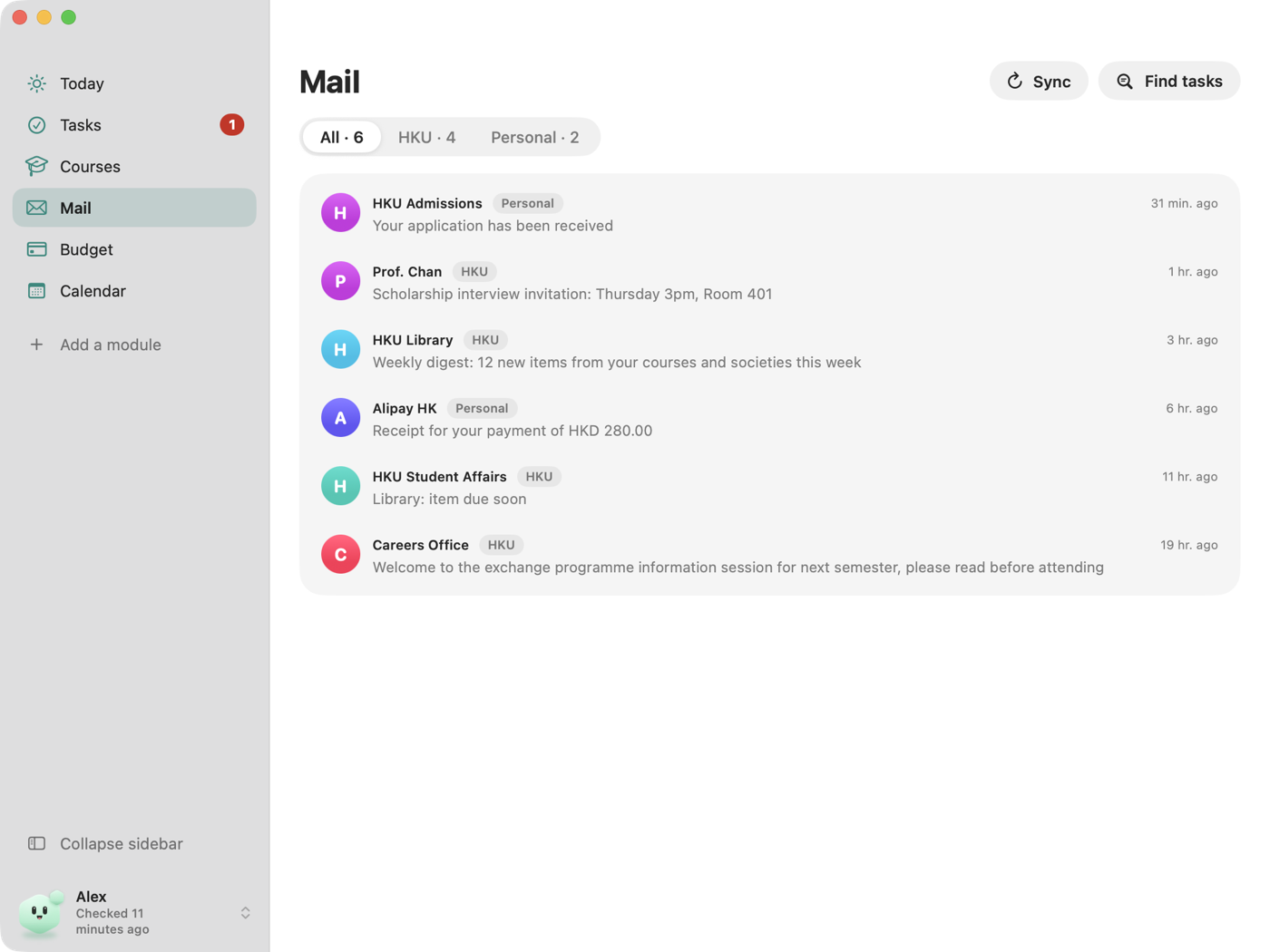
Mail
All your inboxes, none of the noise
School, work and personal mail in one list. Read-only, with the app password kept in your Keychain.
03
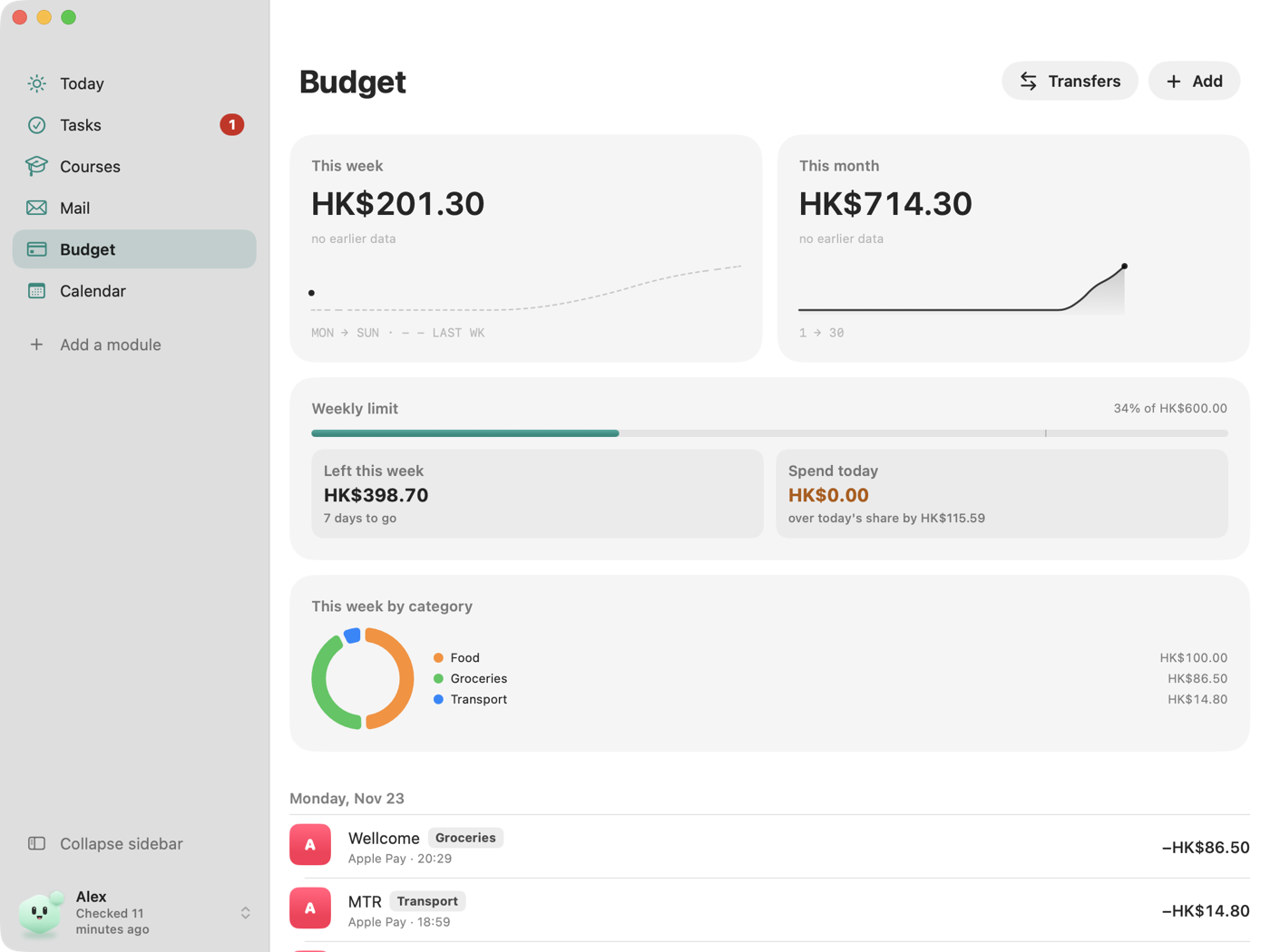
Budget
Know what's left to spend today
Bank and payment notifications become a simple weekly picture. Your amounts stay on your Mac.
04
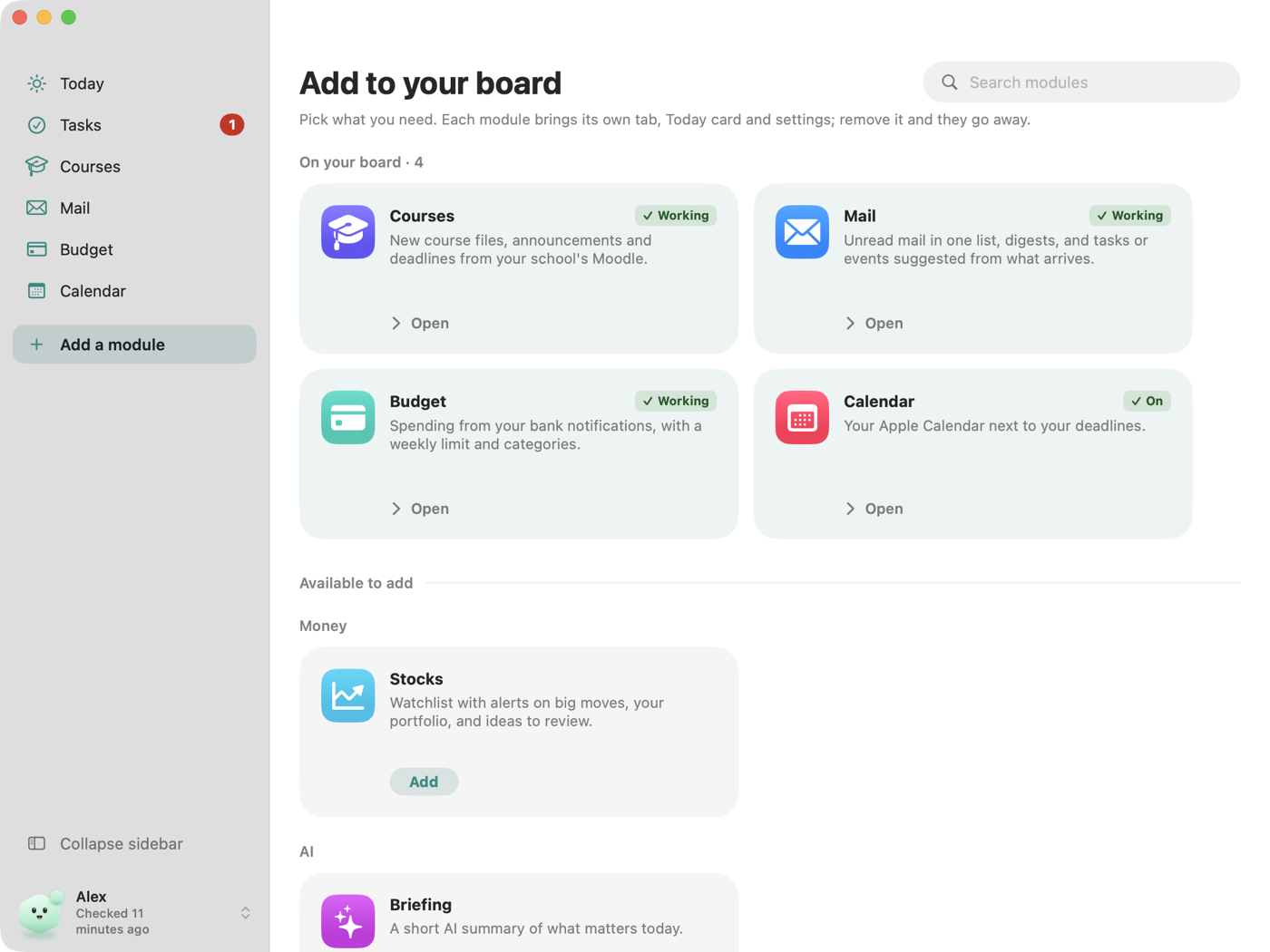
Store
Add only what you need
Each module brings its own tab, Today card and settings. Switch it off and they all go away.
One board for your courses
Pick only what you need. Every part is a module you can add or remove at any time.
🎓
Courses
Deadlines, notices and new files from Moodle.
✉️
Mail
Unread mail from every account, with digests.
💳
Budget
Weekly limit and what you can spend today.
📅
Calendar
Apple Calendar next to your deadlines.
📈
Stocks
Watchlist, portfolio and a weekly news digest.
✨
Briefing
A short daily summary with Lifeboard AI. Optional.
56schools ready to pick
22countries
20+mail services with guides
0trackers
Lifeboard AI · optional
Haru, now with AI.
Three small helpers that read what you already have and hand you the short version. Everything else in Lifeboard stays free.
1
Morning briefing
A short “what matters today” from your deadlines, course announcements and mail.
Today · 08:30
Two things matter today. Your COMP2012 quiz is tomorrow at 10, and Prof. Lee posted new lecture notes. A recruiter also wrote about an interview.
2
Mail to tasks & events
Reads new mail and suggests tasks and calendar events. You approve each one.
Interview invitationHi, could you join us Thursday at 3pm in Room 401? Please bring your CV.
TaskBring your CV
EventThu 3:00 pm, Room 401
3
Stock news digest
A weekly digest of the news on the stocks you follow, with one thing worth checking for each. For information only. Not financial advice.
AAPLWorth checking
NVDA
0005.HK
$2.99 / month$24.99 / year7 days free
US dollars. The trial needs a card, and you can cancel anytime. Runs on Claude, by Anthropic.
AI is off until you turn it on and agree, and you can switch each feature off. When it's on, the text it needs (for example that one email) goes through Lifeboard's server to Claude to get the answer. Our server keeps only usage numbers, never the text. Without AI, everything stays on your Mac.
A day with Haru
From the first class to lights out.
08:30☀️
Your day, in one line
“Two deadlines this week. The quiz is tomorrow at 10.” Haru has read the night's mail for you.
12:40📄
Lecture 12 slides are in
Downloaded into the course's own folder, ready before the next class starts.
15:10💳
HK$42 at the café
Picked up from your bank's notification. HK$118 left to spend today.
18:20✉️
An interview, found in your mail
Thursday 3pm, Room 401. One click and it's on your calendar.
23:30🌙
Haru goes to sleep
Nothing due before ten tomorrow. Time to rest.
Private
Privacy
Your data stays on your Mac.
AI is off until you turn it on. If you do, it sends only what it needs, and we keep none of it.
No password
Sign in with a code sent to your email. The account keeps only your name, school and watchlist.
Read-only
Mailboxes and Moodle are only read, never changed or deleted.
Haru (하루, "a day") is one cell of a honeycomb. Every module you add is one more cell next to it. Its mood follows what is really happening.
⚙️Works while your mail is read
🎉Hops when something new turns up
🌙Sleeps at night
😟Worries only when something fails
Coming soon
Ideas we're working toward.
None of these exist yet and there is no date. Tell us which ones you'd use.
Soon
Canvas & Blackboard
For schools that don't use Moodle.
Soon
Grades
Marks, GPA, and what you need on the final.
Soon
Timetable
Your weekly classes and the next room.
Soon
Focus
A study timer tied to a course.
Soon
Parcels
Delivery tracking from your emails.
Soon
Subscriptions
Recurring charges and their yearly total.
Soon
Habits
Small streaks that Haru cheers on.
Soon
Study assistant
Ask questions about your slides and notes.
Install
Four steps, once.
This is an early test build. Apple hasn't signed it yet, so macOS asks you to confirm once.
Download and unzipGet the latest zip and open it. Drag Lifeboard into Applications.
Open itmacOS says it can't check the app for malicious software. Press Done, not Move to Trash.
Allow itSystem Settings → Privacy & Security, scroll down and press Open Anyway next to Lifeboard.
Follow the welcomeLifeboard walks you through choosing and connecting what you want on your board.
You'll also need Apple's free Command Line Tools (Lifeboard offers to install them, about 10 minutes) and nothing else. The AI features are optional and come with Lifeboard AI.
macOS 14 Sonoma or later · Apple silicon and Intel · about 10 MB
 Lifeboard